You open Notion to plan a project and suddenly find yourself designing the perfect dashboard instead of doing the work. Then you try ClickUp and spend twenty minutes deciding which status, view, and notification setting you actually need.
Sound familiar?
Notion and ClickUp both promise to bring your work into one place. They can manage tasks, store documents, support teams, automate routine steps, and integrate AI. Yet they feel completely different once you start using them.
Notion gives you flexible building blocks and lets you shape the workspace yourself. ClickUp gives you a more complete project-management system from day one. One feels like a digital studio. The other feels like an operations center.
This Notion vs ClickUp comparison looks at what each platform is actually good at, where each one becomes frustrating, how much they cost, and which type of user should choose each tool. By the end, you should know which one fits the work you already do, not the workflow a software company thinks you should have.
Table of Contents
- Quick Recommendation
- Notion vs ClickUp at a Glance
- Notion vs ClickUp: Which One Should You Choose?
- What Notion Is Actually Built For
- What ClickUp Is Actually Built For
- How Content Quality Compares
- Notion Strengths: Where It Stands Out
- ClickUp Strengths: Where It Stands Out
- Notion vs ClickUp Pricing Compared
- Which Tool Offers Better Value?
- Which Tool Fits Your Workflow?
- Can You Use Notion and ClickUp Together?
- Final Verdict: Notion or ClickUp?
- Frequently Asked Questions
Quick Recommendation
Notion: Best for documents, company wikis, content planning, personal organization, and flexible databases. Choose it when your work starts with ideas, research, notes, or shared knowledge.
ClickUp: Best for serious project management, client delivery, recurring processes, workload planning, time tracking, and reporting. Choose it when your work starts with tasks, deadlines, and accountability.
Notion vs ClickUp at a Glance
Here is the quick comparison before we get into the details.
| Category | Notion | ClickUp | Winner |
|---|---|---|---|
| Best for | Docs, wikis, knowledge, and flexible planning | Projects, operations, deadlines, and team execution | Depends on your work |
| Ease of use | Cleaner and calmer, but you must build the system | More structured, but denser and harder to learn | Notion |
| Project management | Flexible databases, boards, timelines, forms, and dependencies | Advanced tasks, sprints, workload, goals, time, and reports | ClickUp |
| Documents and wikis | Central to the product and highly customizable | Strong Docs connected to tasks and projects | Notion |
| Automation | Useful database automations, buttons, and templates | Broader workflow rules and integration actions | ClickUp |
| Reporting | Charts and customizable database dashboards | Deeper dashboards, workload data, sprint reports, and time reports | ClickUp |
| AI | Strong for writing, search, research, and meeting notes | Strong for task context, summaries, agents, and work search | Tie |
| Personal use | Excellent for notes, planning, and custom systems | Powerful, but often more than one person needs | Notion |
| Team execution | Works well for light and knowledge-led projects | Better control over owners, dates, capacity, and delivery | ClickUp |
| Free plan | Generous for individuals | Generous task features for individuals and small teams | Tie |
Notion vs ClickUp: Which One Should You Choose?
Choose Notion if your team spends much of its time writing, researching, planning, or sharing knowledge. It works especially well for content teams, startups, product teams, students, creators, and small businesses that want one attractive home for documents and lighter projects.
Choose ClickUp if missed deadlines, unclear ownership, scattered client work, or limited reporting are the problems you need to solve. It is the stronger choice for agencies, project managers, operations teams, software teams, and businesses with repeatable processes.
The difference is less about feature count than working style. Notion asks, “What kind of workspace do you want to build?” ClickUp asks, “How should this work move from assigned to done?”
What Notion Is Actually Built For
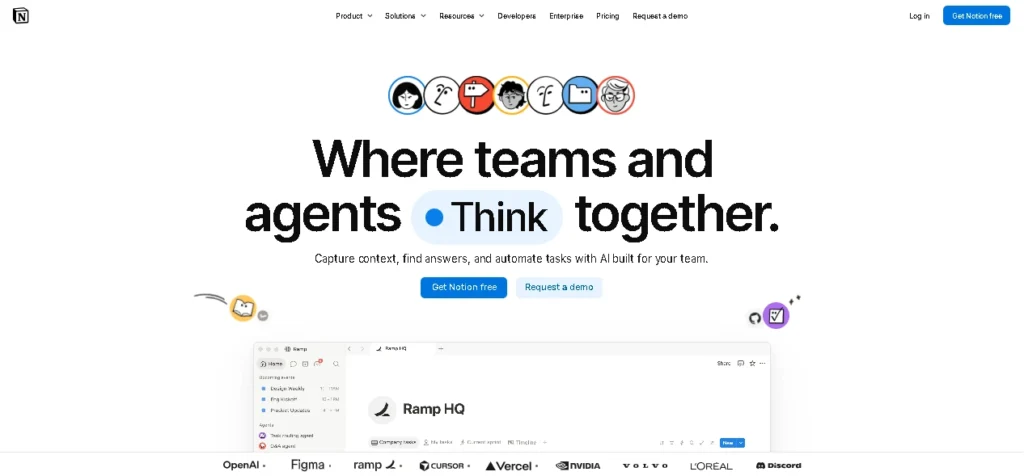
Notion is a connected workspace built around pages and databases. A page can be a simple note, a polished document, a company wiki, a project brief, or a database entry with an owner, deadline, status, and supporting material.
That page-first design is its biggest strength. A task can hold research, meeting notes, creative references, decisions, and feedback, rather than being just a tiny row with a due date. The same database can appear as a table, board, calendar, gallery, timeline, chart, or form.
The catch is setup. Notion gives you the pieces but does not always tell you how to assemble them. Without a clear owner, a tidy workspace can become a maze of duplicate databases and forgotten pages.
What ClickUp Is Actually Built For
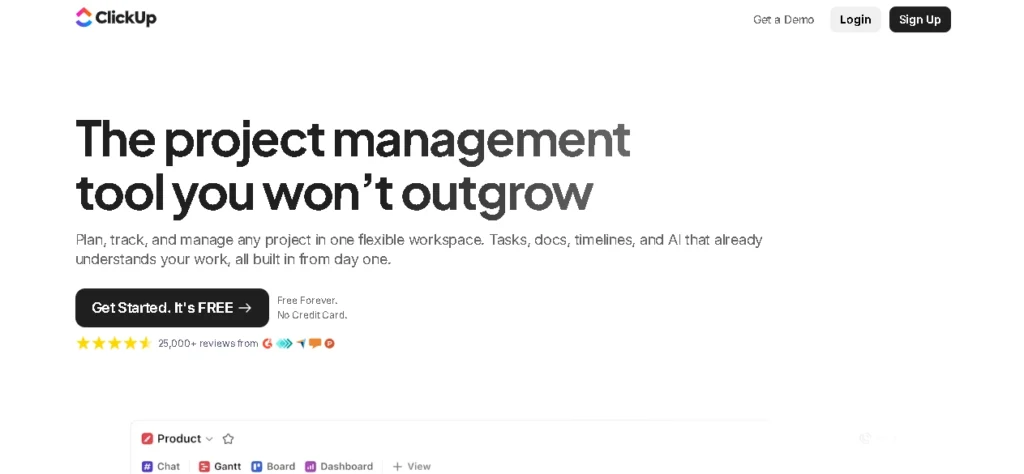
ClickUp is a work-management platform built around tasks and execution. It combines projects, Docs, Chat, dashboards, goals, whiteboards, automations, time tracking, screen recordings, and AI into a single system.
Its tasks support custom statuses, priorities, dependencies, estimates, recurring schedules, sprint points, time entries, checklists, and custom fields. Managers can track that work through workload views, dashboards, goals, and reports without inventing the whole system.
That depth also makes the interface busy. ClickUp becomes much easier once a team agrees on a simple structure, tunes its notifications, and hides features it does not need.
How Content Quality Compares
To help you decide, we’ve compared Notion and ClickUp across the features that have the biggest impact on everyday workflows. Each section highlights the strengths of both tools and identifies the better choice for that category.
Ease of Use and Setup
Notion makes a better first impression. Its editor is clean, the slash command menu is easy to understand, and adapting a template requires little training. The difficulty appears later, when someone must decide which databases are official, how they connect, and who can edit them.
ClickUp feels heavier immediately. Its hierarchy of Workspaces, Spaces, Folders, Lists, tasks, and subtasks takes time to learn. Once that structure is set up, however, teams get a clearer place for recurring work and multi-project delivery.
Best for ease of use: Notion. It is friendlier for beginners and more pleasant for everyday writing.
Tasks and Project Management
Notion handles light and medium-complexity projects well through subtasks, dependencies, recurring templates, forms, custom properties, multiple views, and simple automations. For a content pipeline, roadmap, or launch plan, that may be enough.
ClickUp goes further. Native time tracking, workload management, sprint tools, goals, portfolios, detailed recurring tasks, task estimates, and stronger reporting give project managers more control. You spend less time constructing a system and more time configuring one that already exists.
Best for project management: ClickUp. Notion is flexible, but ClickUp is built for teams that need to see who is doing what, when it is due, and whether the team has capacity.
Documents and Knowledge Management
Writing in Notion feels natural because documents are the foundation of the product. Teams can build nested wikis, connect policies to projects, verify key pages, and combine text with databases, media, and code.
ClickUp Docs are more capable than many people expect. They support collaborative editing, wikis, comments, and direct links to tasks. If your team already lives in ClickUp, Docs may be good enough to replace a separate writing tool.
Still, ClickUp Docs sit inside a task-first environment. Notion treats knowledge as part of the workspace itself.
Best for docs and wikis: Notion. This is its clearest win.
Views, Dashboards, and Reporting
Notion’s database views are attractive and flexible. Charts update with the underlying data, and paid plans support more chart usage. Business and Enterprise users can also create database dashboard views that include tables, boards, calendars, timelines, and charts in a single layout.
ClickUp offers deeper operational reporting. Dashboards can show workload, time tracked, sprint progress, task status, and other metrics across projects. It is easier for a manager to monitor delivery without building many relations, formulas, and rollups first.
Best for reporting: ClickUp. Notion can build a beautiful overview. ClickUp is better at showing what is late, overloaded, or falling behind.
Automation
Notion automations can assign people, change properties, edit pages, and send notifications. Buttons and recurring templates also help with editorial calendars and approval flows.
ClickUp supports a wider range of operational rules. An automation can change a status or assignee, create a task, apply a template, adjust dates, post a comment, or connect to another service. Current monthly action allowances range from 100 on Free Forever to 1,000 on Unlimited and 5,000 on Business, with higher limits above those tiers.
Best for automation: ClickUp. It handles higher-volume and more structured processes better.
Collaboration and Communication
Notion is excellent for asynchronous collaboration. Comments, mentions, shared pages, teamspaces, and guests keep the discussion close to the document.
ClickUp has more communication formats. Task comments, Docs, Chat, and Clips make it easier to turn a conversation or screen recording into an assigned action. The downside is noise. If every feature is enabled, users can feel as if the software is shouting at them all day.
Best for collaboration: ClickUp for action-heavy teams, Notion for document-heavy teams.
AI Features
Notion AI can draft and edit text, summarize documents, search connected information, autofill database fields, take meeting notes, perform research, and use workspace context. Full access is mainly tied to Business and Enterprise, while Free and Plus users receive limited trial usage.
ClickUp Brain works across tasks, Docs, Chat, and search. It can answer questions about projects, summarize activity, create action items, help write content, and support AI agents. ClickUp also sells paid AI plans, so the final cost depends on how much AI your team actually needs.
Choose Notion AI when your knowledge base is the center of work. Choose ClickUp Brain when tasks and delivery are the center. If meeting transcription is the main reason you want AI, compare dedicated options in our guide to the best AI meeting assistants.
Best for AI: Tie. The better tool is the one that already holds the context your AI needs.
Notion Strengths: Where It Stands Out
Notion is at its best when work cannot be reduced to a checklist.
- Documents with context: A project can include properties and a complete brief on the same page.
- Flexible databases: The same blocks can become a content calendar, CRM, roadmap, or client portal.
- Calmer interface: Writers, designers, students, and other knowledge workers get a less crowded place to focus.
- Strong wikis: Nested pages, backlinks, search, permissions, and verified content suit onboarding and internal documentation.
- Better personal workspace: Notes, goals, study plans, content, and projects can live together without feeling overly corporate.
ClickUp Strengths: Where It Stands Out
ClickUp earns its place when a team has many moving parts and needs tighter control.
- Deeper task management: Dependencies, estimates, recurring work, priorities, milestones, custom statuses, and time tracking are native.
- Delivery visibility: Managers can see capacity, time, and progress without building an elaborate reporting system.
- Better automation: Its action limits and workflow rules suit agencies and operations teams with repeatable work.
- More execution tools: Chat, Clips, goals, whiteboards, dashboards, Docs, and tasks reduce app switching.
- Strong paid-plan value: Unlimited costs less than Notion Plus at the listed annual rate and includes time tracking, Gantt charts, goals, and resource management.
Notion vs ClickUp Pricing Compared
Both companies use per-seat pricing for paid team plans. Prices below are the common US rates shown with annual billing at the time of review. Monthly billing, taxes, AI usage, add-ons, and regional pricing can change the final amount.
| Plan level | Notion | ClickUp |
|---|---|---|
| Free | $0, best for individuals and basic collaboration | $0, unlimited tasks and core team features with usage limits |
| Entry paid plan | Plus, $10 per member/month | Unlimited, $7 per user/month |
| Business plan | Business, $20 per member/month | Business, $12 per user/month |
| Enterprise | Custom pricing | Custom pricing |
Notion Plus expands collaborative content, uploads, guests, and history. Business adds Notion AI and more advanced team, security, and integration features.
ClickUp Unlimited adds storage, integrations, forms, Gantt charts, custom fields, native time tracking, goals, portfolios, and resource management. Business adds deeper dashboards, sprint reporting, and higher automation allowances.
AI can change the comparison. ClickUp lists Brain AI separately from its core work-management plans, while Notion includes full AI access mainly with Business and Enterprise. Check the live Notion pricing page and ClickUp pricing page before buying.
Which Tool Offers Better Value?
ClickUp gives project teams more operational features per paid seat. If time tracking, workload, Gantt charts, dashboards, and automation would replace other subscriptions, the value is hard to ignore.
Notion gives knowledge-led teams better value. It can replace a wiki, note-taking app, simple project tracker, internal portal, and lightweight website builder without making everyday writing feel complicated.
The cheapest plan is not automatically the cheapest setup. A low-priced tool that nobody enjoys updating becomes expensive very quickly.
Which Tool Fits Your Workflow?
The best choice depends on how you organize your work. Use the recommendations below to find the tool that best matches your workflow and team needs.
Pick Notion if:
- Your work begins with documents, briefs, ideas, or research
- You want a company wiki and lightweight projects together
- Your processes change often and need a flexible structure
- You are a creator, student, startup, content team, or product team
- A clean, customizable workspace matters more than detailed reporting
Pick ClickUp if:
- Your work begins with tasks, owners, deadlines, and recurring processes
- You manage clients, billable time, sprints, or several projects at once
- Managers need workload, time, portfolio, or performance visibility
- You want stronger automation without constructing it from scratch
- Your team can handle a steeper learning curve for more control
Can You Use Notion and ClickUp Together?
Yes. A common setup uses Notion for the company wiki and ClickUp for project execution. It can work, especially when each platform has a clearly defined job.
It also creates friction. Team members have to decide where information belongs, search two systems, maintain permissions twice, and keep links from going stale. A task in ClickUp may point to a brief in Notion, while the Notion page still shows an outdated status.
Use both only when the separation is simple: Notion holds long-term knowledge, and ClickUp holds active work. If your team is small or your process is still developing, start with one platform. Add the second only after you can name the exact limitation it solves.
For more honest software comparisons before you commit, browse Toolphyra’s tool reviews.
Final Verdict: Notion or ClickUp?
Notion and ClickUp overlap, but they are not interchangeable.
Notion wins for documents, knowledge management, personal productivity, and flexible planning. It is the tool I would recommend to most individuals, creators, and small knowledge-led teams.
ClickUp wins for project management, workload planning, time tracking, automation, and reporting. It is the better choice for agencies, operations teams, project managers, and businesses where missed deadlines have a real cost.
If you are still undecided, do not spend another week comparing feature pages. Build the same real project in both free plans. Add three tasks, one recurring process, a project brief, and a dashboard. Invite one teammate and use each setup for a few days.
The winner is not the platform with the longest list of features. It is the one your team will still keep updated after the excitement of setting it up wears off.
Frequently Asked Questions
Is ClickUp Better Than Notion?
ClickUp is better for advanced project management, time tracking, workload planning, recurring processes, automation, and reporting. Notion is better for documents, wikis, knowledge management, personal organization, and flexible databases.
Is Notion or ClickUp Easier to Use?
Notion is easier for most beginners because its interface is cleaner and its page editor feels familiar. ClickUp takes longer to learn because it includes more project-management controls, views, and settings.
Which Is Better for Project Management, Notion or ClickUp?
ClickUp is better for complex project management. Notion works well for lighter projects, content calendars, roadmaps, and teams that need tasks closely connected to documents and research.
Is Notion Cheaper Than ClickUp?
Not at the comparable entry paid tier. With annual billing, Notion Plus is commonly listed at $10 per member per month, while ClickUp Unlimited is listed at $7 per user per month. The better value still depends on which features and AI add-ons your team needs.
Which Tool Is Better for Small Teams?
Notion is usually better for small teams focused on knowledge, content, planning, and flexible collaboration. ClickUp is better for small teams handling many deadlines, clients, recurring tasks, or reporting requirements.
Can Notion Replace ClickUp?
Notion can replace ClickUp for simple to moderately complex projects if your team is comfortable building databases and workflows. It is less convincing as a replacement when you need native time tracking, detailed workload planning, advanced sprint reporting, or high-volume automation.
Leave a Reply