
You want to sell products online, and now you are choosing between a platform that hands you everything out of the box and one that hands you a toolbox.
WooCommerce and Shopify get compared constantly, but they solve the same problem in opposite ways.
Shopify is a hosted platform. You pay a monthly fee, and it handles hosting, security, and updates for you.
WooCommerce is a free WordPress plugin. You control everything, but you also have to assemble everything yourself.
This comparison covers what each platform actually costs in 2026, where each one gets complicated, and which setup fits the store you are trying to run.
Let’s get into it.
Table of Contents
- Quick Recommendation
- WooCommerce vs Shopify at a Glance
- WooCommerce vs Shopify: Which One Should You Choose?
- WooCommerce: Open-Source Ecommerce for WordPress
- Shopify: All-in-One Ecommerce Platform
- How Themes and Design Compare
- How Total Cost Actually Compares
- WooCommerce Strengths: Where It Stands Out
- Shopify Strengths: Where It Stands Out
- Which Platform Fits Your Store
- Can You Migrate Between Them Later
- Finding Your Best Ecommerce Platform for the Job
- Frequently Asked Questions
Quick Recommendation
Shopify: Best for store owners who want it handled. Choose Shopify if you want to launch fast, avoid managing hosting and security yourself, and pay a predictable monthly fee.
WooCommerce: Best for owners who want full control. Choose WooCommerce if you already run WordPress, want to avoid a monthly platform fee, and are comfortable managing hosting and plugins.
WooCommerce vs Shopify at a Glance
Here’s the short version before the details.
| Category | WooCommerce | Shopify | Winner |
|---|---|---|---|
| Best for | Store owners who want full control and lower long-term cost | Store owners who want a managed, ready-to-go platform | Depends on the goal |
| Core platform cost | Free plugin, but hosting and extensions are separate | $39 to $399/month on standard plans | Depends on setup |
| Hosting | You choose and manage it yourself | Included and managed by Shopify | Shopify |
| Transaction fees | None from WooCommerce itself, only your payment gateway’s rate | 2.9% + 30c with Shopify Payments, dropping on higher tiers | Depends on gateway |
| Setup difficulty | Requires WordPress and technical comfort | Guided setup, no code required | Shopify |
| Customization | Full access to code and database | Limited to Shopify’s theme and app framework | WooCommerce |
| Ongoing maintenance | You handle updates, backups, and security | Shopify handles it | Shopify |
WooCommerce vs Shopify: Which One Should You Choose?
Choose WooCommerce if you already have a WordPress site, want full ownership of your store’s code and data, and do not mind managing hosting yourself.
Choose Shopify if you want to start selling quickly, would rather pay a predictable fee than manage servers, and want built-in support when something breaks.
Neither platform is objectively better. The right one depends on how much control you want versus how much you want handled for you.
There is also a middle ground worth naming. Some store owners start on Shopify to launch fast, then move to WooCommerce later once they know exactly what customization they need.
Others do the reverse: they start on WooCommerce to keep costs low, then move to Shopify once managing hosting and security starts eating more time than it saves.
Neither path is wrong. It just means the choice you make today is not necessarily permanent.
WooCommerce: Open-Source Ecommerce for WordPress
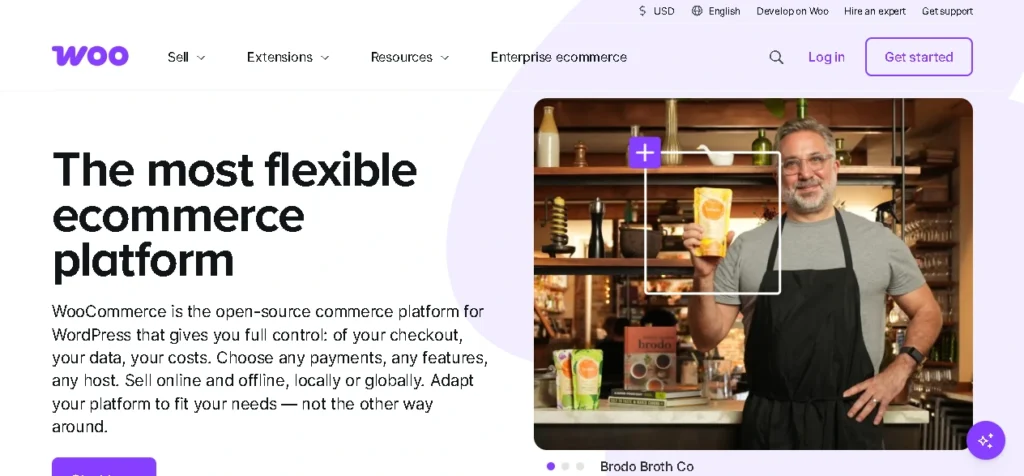
WooCommerce turns an existing WordPress site into a store. The plugin itself is free, open source, and covers products, cart, checkout, and basic shipping.
What it does not include out of the box: advanced shipping rules, subscription billing, bookings, or multi-currency support. Those come from paid extensions.
Because WooCommerce is self-hosted, you choose your own hosting provider, from cheap shared hosting to WooCommerce-specific managed hosting like Kinsta or Cloudways.
That choice affects everything: page speed, checkout reliability, and how well your store holds up during a traffic spike.
You also own your store’s code and data outright. Nothing forces you into a specific theme, app ecosystem, or long-term contract.
The trade-off is responsibility. Updates, backups, security patches, and plugin compatibility are your job, or your developer’s job, not WooCommerce’s.
If you’re still deciding on your website foundation before launching an online store, our Bluehost vs Squarespace comparison explains how hosting, customization, and ease of use differ for different types of websites.
Shopify: All-in-One Ecommerce Platform
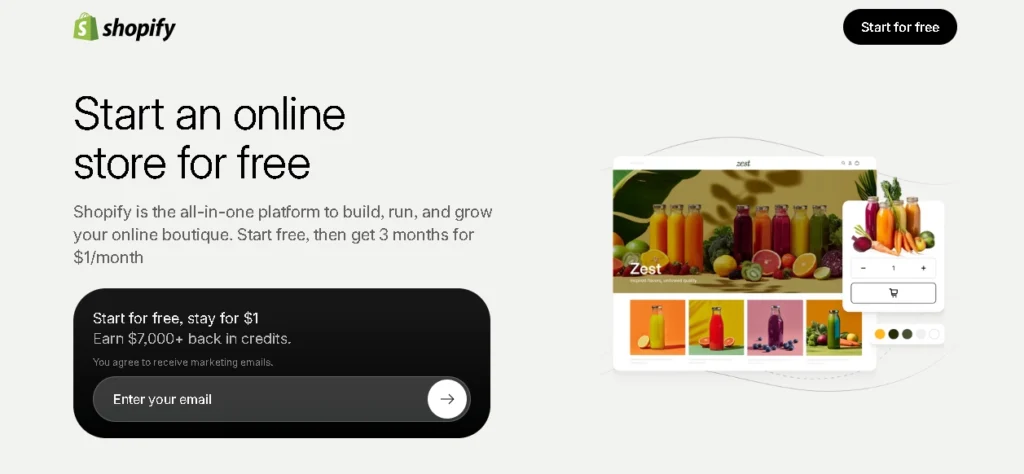
Shopify is a fully hosted commerce platform. You sign up, pick a plan, and start adding products without touching a server or installing anything.
Hosting, SSL certificates, PCI compliance, and platform security are handled for you. That is the core trade you are making: less control in exchange for less responsibility.
The plan structure scales with your business. Basic runs $39 a month and covers a standalone store with no staff accounts included.
Grow, at $105 a month, adds 5 staff accounts and stronger analytics. Advanced, at $399 a month, adds 15 staff accounts and custom shipping rates.
Shopify Plus, starting around $2,300 a month on a multi-year term, is built for large brands that need B2B features and enterprise-level checkout customization.
Every tier includes access to the Shopify App Store, where you can add functionality the base plan does not cover, similar to WooCommerce’s extension model but inside a more locked-down system.
How Themes and Design Compare
Both platforms let you build a store that looks professional, but the process behind that looks very different.
Shopify’s theme store includes free and paid themes, each built to Shopify’s design system. Swapping themes is mostly a point-and-click process.
Customization beyond the theme’s built-in settings usually means editing Liquid, Shopify’s templating language, or hiring someone who knows it.
WooCommerce inherits WordPress’s much larger theme ecosystem. Thousands of free and premium themes work with WooCommerce, from simple storefronts to page-builder-driven designs.
That range is a strength and a risk at the same time. A poorly coded theme can slow your store down or conflict with an extension you need later.
Page builders like Elementor pair well with WooCommerce and give non-developers real design flexibility, closing much of the gap with Shopify’s drag-and-drop feel.
Neither platform guarantees a fast store out of the box. Theme quality, image optimization, and hosting speed all affect load times regardless of which platform you pick.
How Total Cost Actually Compares
The sticker price comparison is misleading in both directions, so it is worth breaking down what you are actually paying for.
A bare WooCommerce setup, shared hosting plus a free theme, can run as little as $100 to $200 a year.
That number climbs fast once you add managed hosting, premium extensions for shipping or subscriptions, and a paid theme. A professional WooCommerce store often lands between $1,800 and $15,000 a year.
Shopify’s Basic plan costs $468 a year at the monthly rate, or roughly $348 annually if you prepay. That is a fixed, predictable number.
But Shopify’s transaction fees add up too. If you use an external payment gateway instead of Shopify Payments, you pay an extra 2% on Basic, dropping to 0.6% on Advanced.
Neither platform is cheaper in every scenario. WooCommerce tends to win at low traffic with a DIY approach, and loses that advantage once you need managed hosting and several premium extensions.
| Factor | WooCommerce | Shopify |
|---|---|---|
| Entry-level annual cost | Roughly $100 to $200 with shared hosting and free theme | Roughly $348 to $468 depending on billing cycle |
| Mid-size store annual cost | $1,800 to $15,000+ with managed hosting and extensions | $1,260 (Grow annual) to $4,788 (Advanced annual) |
| Transaction fees | None from WooCommerce, only your gateway’s standard rate | 2.9% + 30c with Shopify Payments, more with third-party gateways |
Bottom line: WooCommerce is cheaper at small scale if you are comfortable doing the setup yourself. Shopify’s fixed pricing becomes easier to predict as you grow, even though the plan cost itself is higher.
WooCommerce Strengths: Where It Stands Out
WooCommerce is built for owners who want to control every layer of their store. These are the areas where it beats Shopify.
No mandatory platform fee: The plugin itself is free forever. Your only required costs are hosting, a domain, and an SSL certificate.
Full code and data ownership: Nothing is locked behind a proprietary system. You can export your data or move hosts without losing your store.
Unlimited customization: Since you control the code, there is no ceiling on how deeply you can customize checkout, product pages, or store logic.
No forced transaction fee: WooCommerce does not take a cut of your sales. You only pay your payment gateway’s standard processing rate.
Works with the WordPress ecosystem: If your business already runs a WordPress blog or site, WooCommerce integrates directly instead of requiring a separate platform.
A far larger theme library: WordPress’s ecosystem gives you thousands of theme options, free and paid, compared to Shopify’s smaller, more curated theme store.
Shopify Strengths: Where It Stands Out
Shopify is built for owners who want a store that works without needing a developer. These are the strengths that make it a fit for fast-moving businesses.
Everything included: Hosting, security, and PCI compliance come with every plan. You are not assembling a stack from separate vendors.
Faster launch: A guided setup process gets a functional store live in hours, not the days or weeks a custom WooCommerce build can take.
Built-in support: Every paid plan includes access to Shopify’s support team, something WooCommerce’s DIY model does not offer by default.
Predictable scaling: Moving from Basic to Grow to Advanced is a plan change, not a hosting migration or a developer project.
App Store ecosystem: Thousands of apps extend Shopify’s functionality without touching code, covering everything from email marketing to inventory sync.
Consistent performance: Because Shopify controls the hosting environment for every store, checkout speed and uptime stay consistent without any performance tuning on your end.
Which Platform Fits Your Store
Match the platform to how much setup and maintenance you actually want to own.
Pick WooCommerce if:
- You already run WordPress and want your store built into the same site
- You want to avoid a recurring platform fee and control your own costs
- You are comfortable managing hosting, updates, and security, or have a developer who can
- You need deep customization that a hosted platform will not allow
Pick Shopify if:
- You want to launch quickly without managing servers or code
- You would rather pay a predictable monthly fee than assemble your own stack
- You want built-in support when something breaks
- You are scaling fast and want plan upgrades instead of infrastructure projects
Can You Migrate Between Them Later
Yes, and plenty of stores do move in both directions as their needs change.
Moving from WooCommerce to Shopify usually means exporting products, customers, and order history, then rebuilding your theme inside Shopify’s system.
Moving from Shopify to WooCommerce means the same export process in reverse, plus setting up hosting and recreating any custom functionality you relied on.
Either direction takes real time, generally days to weeks depending on store size and how customized your current setup is.
Treat platform choice as a real decision rather than something to fix later. Migration is doable, but it is not free or quick.
Looking for more software buying guides? Explore our latest software comparison guides to compare popular business tools, ecommerce platforms, and SaaS products before you buy.
Finding Your Best Ecommerce Platform for the Job
WooCommerce and Shopify both sell products online, but they ask something different of you to get there.
WooCommerce is the stronger pick when you want ownership and are willing to handle the technical side yourself.
Shopify is the stronger pick when you want to start selling now and would rather pay for convenience than build a stack from scratch.
If you are still deciding, think about your next twelve months, not just your launch day. A DIY WooCommerce store can outgrow cheap hosting fast, and a Shopify store can outgrow its plan’s transaction fees just as fast.
Frequently Asked Questions
Is WooCommerce really free?
The plugin itself is free and always will be. Running a live store still costs money for hosting, a domain, an SSL certificate, and any premium extensions you need.
Which platform is cheaper for a small store?
WooCommerce is usually cheaper at small scale if you handle setup yourself, often $100 to $200 a year with shared hosting.
Shopify’s fixed monthly fee is higher up front but includes hosting, security, and support in that price.
Do I need coding skills to use WooCommerce?
Not for basic setup, since WooCommerce works with drag-and-drop page builders and pre-built themes.
Deeper customization, custom shipping logic, or troubleshooting plugin conflicts usually requires a developer or a lot of patience.
Does Shopify take a cut of my sales?
Shopify charges standard card processing rates if you use Shopify Payments, starting around 2.9% plus 30 cents on Basic.
If you use an external payment gateway instead, Shopify adds an extra fee on top of that gateway’s own rate.
Which platform is better for a fast-growing store?
Shopify tends to handle rapid growth more smoothly, since scaling means upgrading a plan rather than upgrading your own server infrastructure.
WooCommerce can scale too, but it requires proactive hosting upgrades and performance work as traffic increases.
Can I sell in person with either platform?
Shopify has a built-in POS system and dedicated POS hardware, with in-person card rates lower than online rates.
WooCommerce can support in-person sales through third-party POS extensions, but it is not a native, first-party feature the way it is on Shopify.
What happens if I outgrow my hosting or my Shopify plan?
On WooCommerce, you upgrade your hosting plan or migrate to a more powerful host, which your developer or hosting provider handles.
On Shopify, you upgrade to the next plan tier, which takes effect immediately without a technical migration.
Which platform is better for a store owner with no technical background?
Shopify, without much debate. The guided setup and managed hosting remove most of the technical decisions WooCommerce requires you to make yourself.
Can I use WooCommerce without knowing WordPress already?
You can, but expect a steeper learning curve than Shopify’s guided setup.
WooCommerce assumes some comfort with the WordPress dashboard, so budget extra time to learn the basics before your store launches.
Which platform handles international selling better?
Shopify’s higher tiers include built-in duties, tax calculation, and multiple markets, which makes international selling more turnkey.
WooCommerce can sell internationally too, but multi-currency and cross-border tax handling usually require premium extensions rather than built-in tools.

Leave a Reply